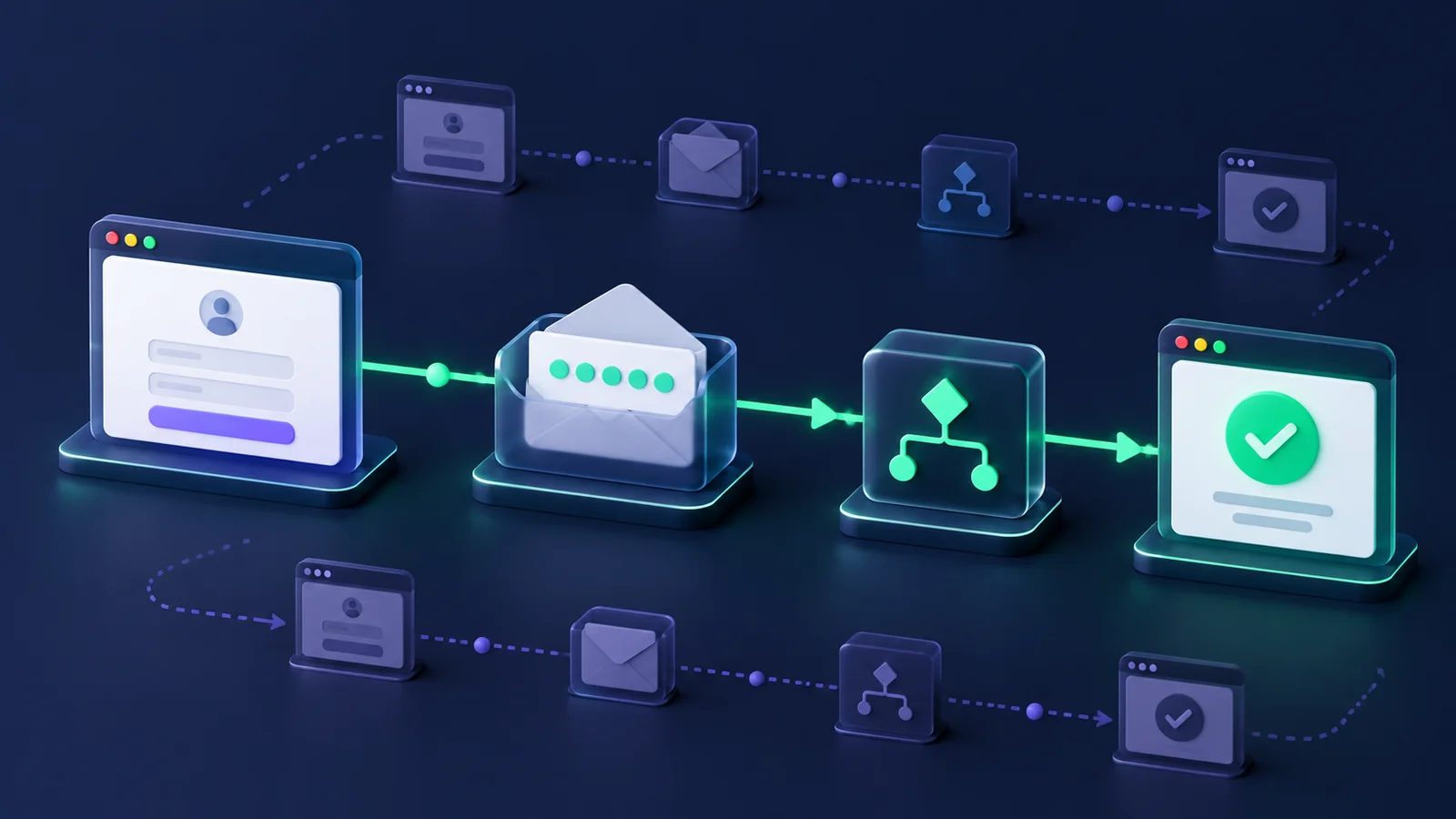
A Playwright email test needs to leave the browser, read the message sent to this test's address, and bring its code or link back into the user journey. Clicking “Send email” and checking a success toast proves only that the browser reached that point.
Use this loop: create an isolated inbox, trigger the application, wait for an eligible message, use the received artifact, assert the final account state, and clean up. This guide applies that loop to signup OTPs, magic-link login, and password resets.
The examples use MailHulk's receive-only API. Your application and its email provider send the messages. Adapt the application routes and selectors before running the tests against your staging environment.
Choose what the email test must prove
Decide where the test ends before choosing infrastructure. A form-validation test and a test of the received password-reset link have different dependencies.
| Boundary | Useful when | What remains outside it |
|---|---|---|
| Mock or application test hook | You need focused coverage of UI errors, token rules, or account transitions | The actual message, recipient routing, and delivery path |
| SMTP catcher such as Mailpit | You control the application's SMTP destination in local development or CI | An external-provider route, if the application bypasses it to reach the catcher |
| Hosted receiving inbox | You need the application to send through its configured provider to a real test address | Rendering across email clients and inbox placement at other mailbox providers |
Mailpit provides an SMTP server and an API for integration testing. If that boundary fits your test, use it. A hosted receiver is useful when exercising the configured outbound path matters; it adds an external dependency you must budget for in CI.
Keep focused coverage close to the application, then select a few critical journeys that must use a received email. Receipt at a test inbox does not establish delivery to Gmail or Outlook, or that the template renders correctly in their clients.
Give each test attempt its own inbox
Browser isolation does not isolate a mailbox. Two browser contexts can still request codes for one shared address and race to consume the latest email. A retry can also find a message left by the previous attempt.
Create the inbox inside a test-scoped fixture, and use its generated address as the application's identity. Each retry runs the fixture again. Inbox names are readable labels, not uniqueness guarantees. Read why shared inboxes break in parallel CI for the ownership problem.
- Create: reserve an address for this test attempt.
- Trigger: submit that address through the application.
- Wait: request a message newer than an explicit baseline.
- Extract and complete: enter its OTP or open its intended action link.
- Assert and clean up: check the resulting state, then delete the inbox.
The fixture below owns inbox cleanup. Application accounts are separate resources: use a dedicated staging tenant with your own account-retention or teardown process.
Choose your first journey
Start with the flow you need to protect in your next release. The examples below share one inbox fixture, then make different assertions in the browser.
| Journey | Read from the email | Prove in the application |
|---|---|---|
| Signup OTP | The expected six-digit verification code | Entering that code reaches the Email verified state |
| Magic-link login | One login link on the configured application origin and path | Opening it in a fresh browser context signs in the intended address |
| Password reset | One reset link on the configured application origin and path | The replacement password signs in the intended address in a fresh context |
The reset example proves the replacement password works. Add old-password rejection and consumed-link checks before treating it as complete reset-policy coverage.
Configure the application contract and time budgets
Use a TypeScript Playwright project with @playwright/test installed. Keep MAILHULK_API_KEY in the Node test process through local or CI secret configuration. Set MAILHULK_URL to the API origin without /v1, and APP_URL to your staging application origin. Use HTTPS for remote services.
For a new example project, run these commands in an empty directory. See Playwright installation guidance for supported operating systems and prerequisites. In an existing Playwright project, keep its dependency version and merge the configuration below into your current setup.
npm init -y
npm install --save-dev @playwright/test typescript @types/node
npx playwright install chromium
Create tests/fixtures/, then save the three files shown below at their indicated paths. Configure the environment variables in your local runner or CI job before executing the tests. The API key needs permission to create and delete inboxes and read messages in the selected project.
Set OTP_SUBJECT, MAGIC_SUBJECT, and RESET_SUBJECT to the exact subjects of your three templates. The sample application contract is:
/signupaccepts Email and Password, then Send code. Entering a six-digit Verification code and clicking Verify shows Email verified and signs the user in.- A Sign out button ends the session.
/login/magicaccepts Email and Send login link; its email contains a direct/auth/magiclink. /forgot-passwordaccepts Email and Send reset link; its email contains a direct/reset-passwordlink. That page accepts New password and Save password./loginaccepts Email, Password, and Sign in. Successful login reaches/accountwith an Account heading and the signed-in address.- Each trigger sends exactly one relevant email. Signup sends no separate welcome email in these examples.
Replace this contract with your application's behavior, including redirect hosts, link paths, password policy, and additional mail. These are adaptation examples, not a bundled demo application.
Save this as playwright.config.ts. The 240-second test budget accommodates two sequential email waits when signup prepares a magic-link or reset test. Individual operations still have limits; see Playwright's timeout guidance.
import { defineConfig } from '@playwright/test';

export default defineConfig({
  testDir: './tests',
  timeout: 240_000,
  expect: { timeout: 10_000 },
  use: {
    actionTimeout: 10_000,
    navigationTimeout: 15_000,
    trace: 'off',
    screenshot: 'off',
    video: 'off',
  },
});
Recording is disabled because codes, links, and passwords can appear in browser artifacts. Apply equivalent settings to project overrides, and restrict CI-report access: action errors can still expose input values.
Create a fixture that returns the received message
Save this as tests/fixtures/mail.ts. A standalone HTTP context keeps the inbox API credential separate from the application browser context, following Playwright's API-testing pattern. Setup and cleanup follow its fixture lifecycle.
import { randomUUID } from 'node:crypto';
import { test as base, expect, request } from '@playwright/test';

export function required(name: string): string {
  const value = process.env[name];
  if (!value) throw new Error(`Set ${name} before running email tests`);
  return value;
}

export type ReceivedMail = {
  id: string;
  subject: string | null;
  codes: string[];
  links: string[];
};

export type Mailbox = {
  address: string;
  diagnostic: Record<string, unknown>;
  receive(subject: string, after?: string): Promise<ReceivedMail>;
};

export const test = base.extend<{ mailbox: Mailbox }>({
  mailbox: [async ({}, use, info) => {
    const api = await request.newContext({
      baseURL: required('MAILHULK_URL'),
      extraHTTPHeaders: {
        Authorization: `Bearer ${required('MAILHULK_API_KEY')}`,
      },
      timeout: 10_000,
      maxRedirects: 0,
    });
    let id: string | undefined;
    const diagnostic: Record<string, unknown> = { phase: 'create' };
    try {
      const created = await api.post('/v1/inboxes', {
        headers: { 'Idempotency-Key': randomUUID() },
        data: { name: 'playwright-journey', ttl_seconds: 900 },
      });
      if (created.status() !== 201) {
        throw new Error(`Inbox creation failed: HTTP ${created.status()}`);
      }
      const { data: inbox } = await created.json();
      id = inbox.id;
      diagnostic.inboxId = id;
      diagnostic.phase = 'trigger';

      await use({
        address: inbox.address,
        diagnostic,
        async receive(subject, after = '00000000000000000000000000') {
          Object.assign(diagnostic, { phase: 'wait', after });
          const result = await api.get(`/v1/inboxes/${id}/messages/latest`, {
            params: { after, wait: 60, view: 'full' },
            timeout: 65_000,
          });
          const status = result.status();
          const degraded = result.headers()['x-mailhulk-wait-degraded'];
          Object.assign(diagnostic, {
            httpStatus: status,
            requestId: result.headers()['x-request-id'],
            degraded: degraded ?? null,
          });
          if (status === 204) {
            throw new Error(degraded
              ? 'Email wait skipped: wait capacity reached'
              : 'No eligible email arrived within the 60-second wait');
          }
          if (status !== 200) {
            throw new Error(`Email lookup failed: HTTP ${status}`);
          }
          const { data: message }: { data: ReceivedMail } = await result.json();
          Object.assign(diagnostic, {
            phase: 'select', messageId: message.id,
            subjectMatches: message.subject === subject,
            codeCount: message.codes.length, linkCount: message.links.length,
          });
          if (message.subject !== subject) {
            throw new Error('First eligible email has an unexpected subject');
          }
          diagnostic.phase = 'extract';
          return message;
        },
      });
    } finally {
      const failed = info.status !== info.expectedStatus;
      try {
        if (id) {
          const removed = await api.delete(`/v1/inboxes/${id}`);
          if (![204, 404].includes(removed.status())) {
            throw new Error('Inbox deletion failed');
          }
        }
      } catch {
        info.annotations.push({
          type: 'cleanup', description: 'Inbox deletion failed; TTL is fallback',
        });
        if (!failed) throw new Error('Inbox cleanup failed after test');
      } finally {
        if (failed) {
          info.attachments.push({
            name: 'email-diagnostic', contentType: 'application/json',
            body: Buffer.from(JSON.stringify({
              ...diagnostic, retry: info.retry,
            }, null, 2)),
          });
        }
        await api.dispose();
      }
    }
  }, { timeout: 30_000 }],
});

export { expect };
The fixture requests a 900-second inbox lifetime and attempts deletion after success or failure. TTL is a fallback if the process stops or creation succeeds but its response is lost. Inbox expiry and message retention are separate policies. A cleanup failure fails an otherwise successful test and annotates an existing failure.
The separate 30-second fixture timeout covers setup and teardown; the test budget covers browser actions and calls to receive(). The 65-second HTTP budget allows overhead beyond the 60-second arrival wait. These values are test budgets, not measured delivery times.
Keep an early arrival eligible
The MailHulk API contract gives after a specific job. Without it, ?wait=60 establishes a baseline from the newest message at request time and waits for another arrival. A message delivered just after your click can become that baseline.
The zero cursor is safe for the first send to a newly created inbox. It includes that message whether it arrives before or during the request. For a later send, pass the ID of the previously consumed message, captured before triggering the next send.
This fixture fails on the first eligible message with the wrong subject. It does not search an arbitrary mailbox or solve late deliveries from earlier triggers. If an action sends several messages, design an explicit correlation rule with one overall deadline. Read the framework-independent explanation of bounded email waits and message ownership.
Use the OTP, magic link, and reset link in the browser
Save these journeys as tests/email-journeys.spec.ts. Signup creates a fresh account for each test. The magic-link and reset tests sign it out before requesting the next email, then verify authentication in a fresh browser context. The magic-link example assumes links can be opened in another browser session; adapt it if your application intentionally binds links to the requesting session. A staging user factory can replace signup if you want narrower tests.
The link selector requires exactly one distinct URL with the expected application origin and path. Footer links cannot become the action link just because they appear first. This example assumes direct links; adapt the rule deliberately if a provider wraps links for tracking or authentication uses another origin.
import { randomUUID } from 'node:crypto';
import type { Page } from '@playwright/test';
import { test, expect, required, type Mailbox, type ReceivedMail } from './fixtures/mail';

const app = new URL(required('APP_URL'));
const location = (path: string) => new URL(path, app).href;

function actionLink(message: ReceivedMail, path: string): string {
  const matches = [...new Set(message.links)].filter(value => {
    try {
      const url = new URL(value);
      return url.origin === app.origin && url.pathname === path
        && !url.username && !url.password;
    } catch {
      return false;
    }
  });
  if (matches.length !== 1) {
    throw new Error('Expected one distinct action link on the configured origin and path');
  }
  return matches[0];
}

async function signup(page: Page, mailbox: Mailbox) {
  const password = `Qa-${randomUUID()}!`;
  mailbox.diagnostic.phase = 'signup-trigger';
  await page.goto(location('/signup'));
  await page.getByLabel('Email', { exact: true }).fill(mailbox.address);
  await page.getByLabel('Password', { exact: true }).fill(password);
  await page.getByRole('button', { name: 'Send code', exact: true }).click();
  const message = await mailbox.receive(required('OTP_SUBJECT'));
  if (message.codes.length !== 1 || !/^\d{6}$/.test(message.codes[0])) {
    throw new Error('Expected exactly one six-digit signup OTP');
  }
  mailbox.diagnostic.phase = 'signup-verify';
  await page.getByLabel('Verification code', { exact: true }).fill(message.codes[0]);
  await page.getByRole('button', { name: 'Verify', exact: true }).click();
  await expect(page.getByRole('heading', { name: 'Email verified', exact: true })).toBeVisible();
  return message.id;
}

async function signout(page: Page) {
  await page.getByRole('button', { name: 'Sign out', exact: true }).click();
  await expect(page.getByRole('button', { name: 'Sign out', exact: true })).toBeHidden();
}

test('signup accepts the received OTP', async ({ page, mailbox }) => {
  await signup(page, mailbox);
});

test('the received magic link starts a session', async ({ page, mailbox, browser }) => {
  const after = await signup(page, mailbox);
  await signout(page);
  mailbox.diagnostic.phase = 'magic-trigger';
  await page.goto(location('/login/magic'));
  await page.getByLabel('Email', { exact: true }).fill(mailbox.address);
  await page.getByRole('button', { name: 'Send login link', exact: true }).click();
  const message = await mailbox.receive(required('MAGIC_SUBJECT'), after);
  const link = actionLink(message, '/auth/magic');
  mailbox.diagnostic.phase = 'magic-verify';
  const clean = await browser.newContext();
  clean.setDefaultTimeout(10_000);
  clean.setDefaultNavigationTimeout(15_000);
  try {
    const login = await clean.newPage();
    await login.goto(link);
    await expect(login).toHaveURL(location('/account'));
    await expect(login.getByRole('heading', { name: 'Account', exact: true })).toBeVisible();
    await expect(login.getByText(mailbox.address, { exact: true })).toBeVisible();
  } finally {
    await clean.close();
  }
});

test('the received reset link changes the login password', async ({ page, mailbox, browser }) => {
  const after = await signup(page, mailbox);
  await signout(page);
  mailbox.diagnostic.phase = 'reset-trigger';
  await page.goto(location('/forgot-password'));
  await page.getByLabel('Email', { exact: true }).fill(mailbox.address);
  await page.getByRole('button', { name: 'Send reset link', exact: true }).click();
  const message = await mailbox.receive(required('RESET_SUBJECT'), after);
  const link = actionLink(message, '/reset-password');
  mailbox.diagnostic.phase = 'reset-verify';
  await page.goto(link);
  const replacement = `Reset-${randomUUID()}!`;
  await page.getByLabel('New password', { exact: true }).fill(replacement);
  await page.getByRole('button', { name: 'Save password', exact: true }).click();
  await expect(page.getByRole('heading', { name: 'Password changed', exact: true })).toBeVisible();

  // Login in a fresh context without reusing a reset-created session.
  const clean = await browser.newContext();
  clean.setDefaultTimeout(10_000);
  clean.setDefaultNavigationTimeout(15_000);
  try {
    const login = await clean.newPage();
    await login.goto(location('/login'));
    await login.getByLabel('Email', { exact: true }).fill(mailbox.address);
    await login.getByLabel('Password', { exact: true }).fill(replacement);
    await login.getByRole('button', { name: 'Sign in', exact: true }).click();
    await expect(login).toHaveURL(location('/account'));
    await expect(login.getByRole('heading', { name: 'Account', exact: true })).toBeVisible();
    await expect(login.getByText(mailbox.address, { exact: true })).toBeVisible();
  } finally {
    await clean.close();
  }
});
Run npx playwright test tests/email-journeys.spec.ts after adapting the application contract. The OTP test uses the received code; magic-link login checks the resulting account and identity; password reset proves the new password works in a fresh context. A message-count assertion alone cannot prove those outcomes.
Add expiry, replay, and resend checks deliberately
These journeys cover successful paths. Expand coverage according to your authentication contract:
- OTP: reject wrong, expired, and consumed codes. Define whether requesting a replacement invalidates the earlier one.
- Magic link: check replay in a signed-out browser, expiry, allowed redirect destinations, and intended browser or session binding.
- Password reset: prove the old password no longer authenticates, the reset link cannot be reused, and the token cannot reset another account.
Use an application-controlled clock or test setup for expiry where practical. Advancing a browser clock does not by itself advance the server's token clock. Keep a received-message journey for the boundary that needs actual email.
Make CI failures point to the missing step
The fixture records identifiers, the cursor, HTTP status, request ID, subject match, extraction counts, and the current phase. It omits raw payloads, passwords, codes, and action links. The full projection is read privately because links are needed; the summary projection contains codes and a link count, not the link array.
| Failure | Investigate next |
|---|---|
| Inbox creation fails | API configuration, project scope, quota, and availability |
| Normal arrival timeout | Application send attempt, recipient, provider response, and receiving path |
| Degraded wait | Wait concurrency and capacity; a full arrival budget may not have elapsed |
| Unexpected first message | Additional templates, trigger ordering, and message-selection rules |
| Missing OTP or action link | Template content, extraction format, and expected link origin/path |
| Browser rejects the received artifact | Token validity, account binding, application response, and final state |
Before making the job a release gate, run concurrent attempts, interrupt delivery deliberately, and confirm teardown after an assertion failure. Leave enough CI job time for test and cleanup budgets. Automatic retries do not explain the original failure.
Continue with the matching Playwright recipe
- Test email OTPs with Playwright without fixed waits for a focused signup example.
- Build a reusable Playwright email inbox fixture for allocation, teardown, and scope choices.
- Test password-reset emails end to end with Playwright for old-password rejection and consumed-link checks.
Start with one critical email journey
Choose the signup, login, or reset flow whose delivery boundary matters for your release. Give it an address it owns, an explicit baseline, and a browser assertion that uses what actually arrived. Expand once you can explain both a passing run and a failed one.
MailHulk is in preview, with private-beta rollout still being prepared. Check the API reference for inbox and message contracts, or bring one email journey for evaluation.